- How to check your battery health in Windows.
- run CMD in administrator mode.
- type in “powercfg /batteryreport”.
- Go to C drive to open the battery report file (hdml).
- see my old battery only hold 6,769 mWh in a full charge…

- Tools.
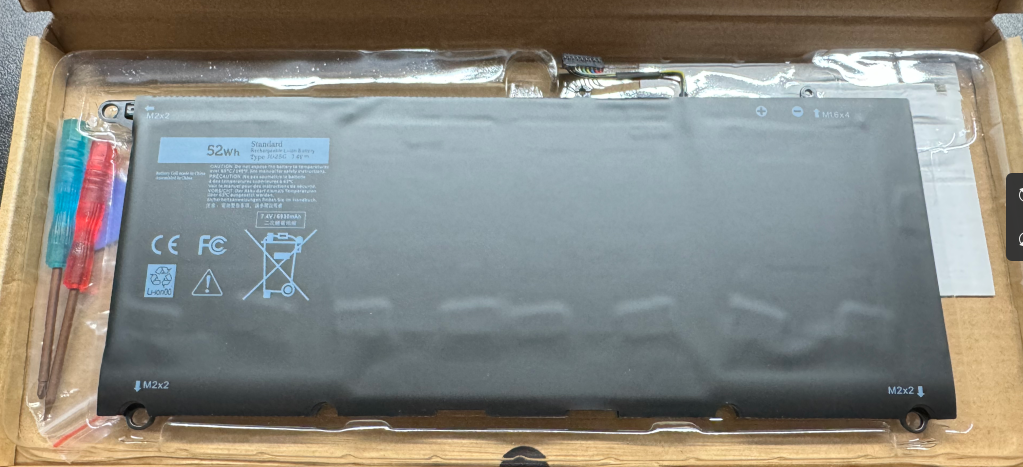
- JD25G 90V7W Battery. (Amazon Link)
- it comes with two screw drivers and opener tool to help replace the battery.
- JD25G 90V7W Battery. (Amazon Link)
- Steps
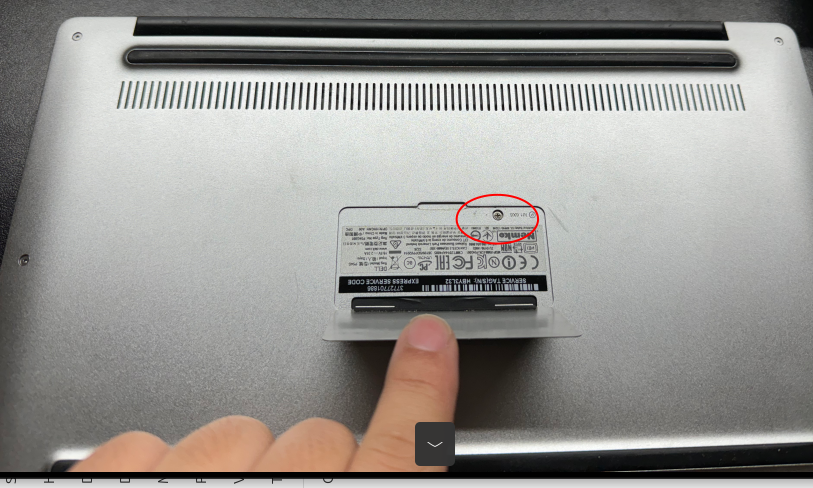
- Remove the screw behind the center pad.
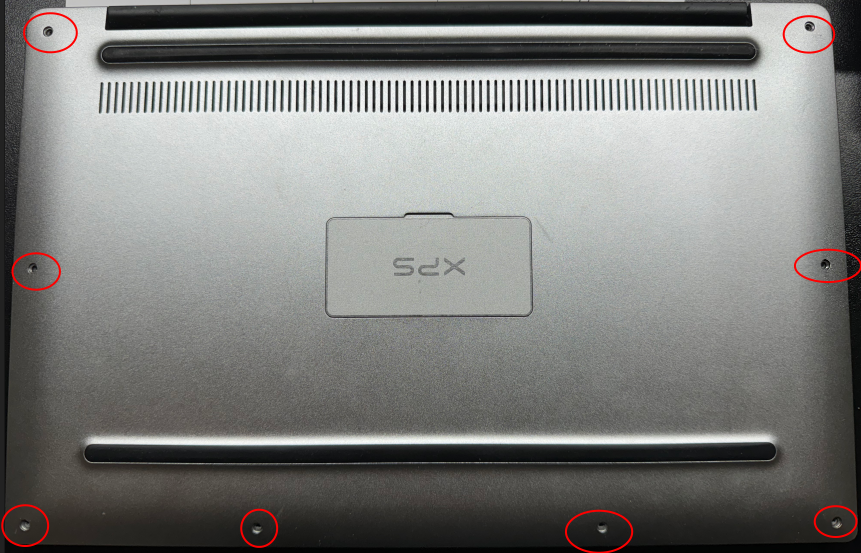
- Remove all the screws around the edge of the laptop
- Carefully ply and remove the back panel.
- Remove the 3 fat screws.
- remove the 1 screw.
- Remove the tapes that attached the battery.
- Disconnect the connector by gently pulling out the connector.
- Carefully remove the battery.
- this is a good opportunity to clean the dust a little bit.
- Put the new battery in.
- Install the 3 fat screws and 1 screw.
- Attach the tapes that attached to the wires.
- Install the back panel (clip on).
- Put back the screws around the edge of the laptop and the screw behind the center pad.
- Full charge and check battery health again.
- Remove the screw behind the center pad.
- Conclusion
- I bought this laptop over 10 years ago. It was the first laptop that has super slim bezel which makes a 13inch screen laptop the same dimension as the 11inch, super portable design! Over the years it helped me with school work from college to graduate school and to work. the laptop still runs responsive but the battery is so bad. Having the battery replaced makes it alive again! So happy to see my old buddy come up again and looking forward to do more amazing stuff with it!